Stats
The card counts five things by default — stars earned, commits, pull requests, issues and the
repositories contributed to — and grades them into a rank from C to S.
Anything else it can show is opt-in through show.
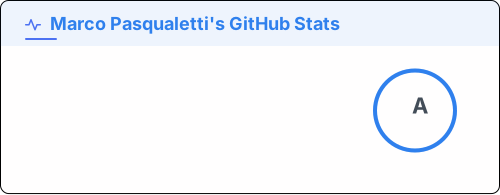
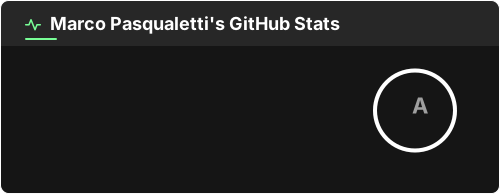
?username=octocat&show_icons=trueRequired
Section titled “Required”| Option | What it is |
|---|---|
username | The GitHub login to draw stats for |
Showing more stats
Section titled “Showing more stats”show takes a comma-separated list. Each value adds a line to the card:
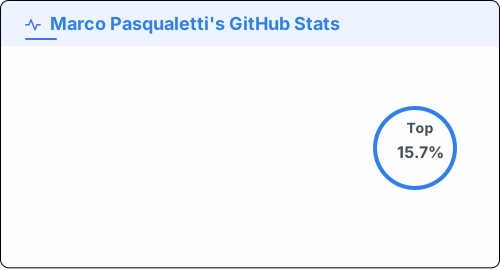
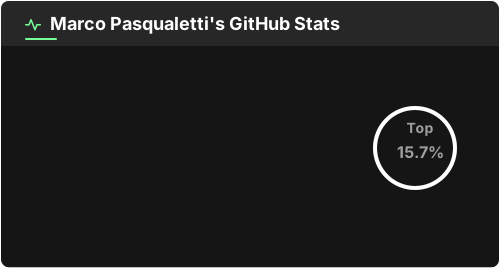
?username=octocat&show_icons=true&show=reviews,prs_merged,contributions&rank_icon=percentile| Value | The line it adds |
|---|---|
reviews | Pull requests reviewed |
prs_merged | Pull requests merged |
prs_merged_percentage | What share of your PRs were merged |
discussions_started | Discussions started |
discussions_answered | Discussions answered |
prs_opened | Pull requests opened, counted by search |
prs_commented | Pull requests commented on |
prs_reviewed | Pull requests reviewed, counted by search |
issues_opened | Issues opened, counted by search |
issues_commented | Issues commented on |
contributions | Contributions in the counted range |
contributed_to_all_time | Repositories contributed to, across every year of the account |
Each extra stat costs another request, so ask only for what you draw.
Hiding the default stats
Section titled “Hiding the default stats”hide takes the same shape, and removes a line the card would otherwise draw:
stars, commits, prs, issues, contributed_to.
Either list takes any stat the card draws. A stat named in both is left out, and so is not fetched.
Options
Section titled “Options”| Option | Values | What it does |
|---|---|---|
show | the list above | Extra stats to draw |
hide | stars commits prs issues contributed_to | Default stats to leave out |
show_icons | true false | Draw an icon beside each stat |
hide_rank | true false | Leave out the rank circle |
rank_icon | default github percentile | What the rank circle shows |
ring_color | a hex color | The rank ring, when it should differ from the title |
include_all_commits | true false | Count commits of all time rather than the counted range |
from / to | 2024, 2024-03, 2024-03-15 | The range commits and contributions are counted in |
exclude_repo | owner/name or name | Repositories to leave out of the totals |
scope | owner/name owner/* | Where the search-based stats count |
affiliation | OWNER COLLABORATOR ORGANIZATION_MEMBER | Which repositories count towards the stars and the rank |
include_own_repos | true false | Count contributions to your own repositories |
Plus the common options.
Scoping the search stats
Section titled “Scoping the search stats”prs_opened, prs_commented, prs_reviewed, issues_opened and issues_commented are counted
by GitHub’s search, and so are commits under include_all_commits. scope narrows that search: owner/name for one repository, owner/* for
everything an owner holds, up to ten entries.
?username=octocat&show=prs_opened&scope=vitest-dev/*,octocat/dotfilesEach scoped line names its scope, PRs Created (vitest-dev/*) or PRs Created (2 scopes). A bare
name is an error, being a repository or an owner with nothing to say which, and so is a scope
when nothing on the card is counted by search.
What affiliation covers
Section titled “What affiliation covers”affiliation filters the repository list GitHub answers with, and that list is used for the stars
total alone. Commits, pull requests, reviews, issues, discussions and repositories
contributed to are counted across the whole of GitHub whatever affiliation says. The default is
OWNER — the repositories you own.
?username=octocat&affiliation=OWNER,ORGANIZATION_MEMBERWidening it moves the stars and the rank they feed into: ORGANIZATION_MEMBER counts the stars of
every repository in every organization you belong to. hide=stars takes the line off the card,
but the stars still count towards the rank.
The range
Section titled “The range”from and to bound what “commits” and “contributions” mean, and both ends are inclusive.
Either may be left out: an open end is filled with the widest range GitHub will answer for.
?username=octocat&from=2020&to=2024include_all_commits=true overrides the range for the commit count alone —
it asks for every commit the account has ever made.